Free · Nonprofit · No pay-to-play
Find assistive tech that fits your life.
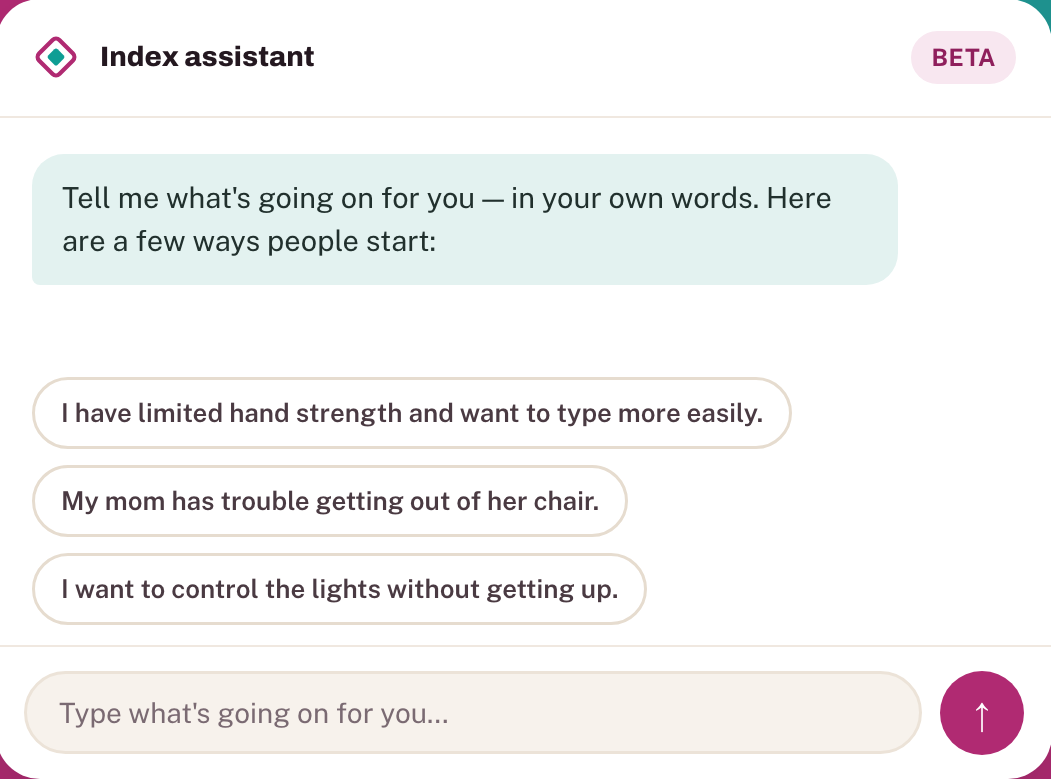
Tell us what's going on in your own words. We'll ask a couple of questions, then point you to real options — products, services, funding paths, and community hacks — that actually fit.
Over 4,000 products, services, funding programs & community hacks — every entry reviewed, none of them sponsored.
What makes this better than search?
A general search engine or AI chatbot can work in similar ways, but it hands whatever it learns to companies that have no stake in this space. Here, the anonymous trends we capture serve the community: identifying gaps in the disability and aging space, building the case for funding devices people need but can’t afford, and getting better at disability- and location-specific recommendations over time.
Ask the index
Get trusted answers, built by and for the disability/aging community.
We provide resources and ideas based on thousands of verified products, services and funding pathways. See the kinds of things you can ask and learn from the index:
The Index answered:
First — welcome, and I'm glad you found your way here. Making your home work for you is one of the most impactful first steps you can take, and there's a lot of good help out there.
Before I go too deep, a quick question to make this more useful: what's the main barrier at home right now? Here's a starter spread organized by area:
- Getting in and out of the house — ramps, lifts. Amramp installs modular aluminum ramp systems that can be rented or purchased. Lifeway Mobility and 101 Mobility are national contractor networks that handle ramps, stairlifts, and vertical platform lifts, with local installers who can assess your home.
- Bathrooms — often the first place people need changes. Grab bars, roll-in shower conversions, and raised toilet seats are the usual starting points. For a portable shower option if you use a wheelchair, the Sit'n'Shower (FAWSsit) is worth a look, though it's on the pricier end.
- Small adaptations throughout the house. IKEA ThisAbles is a free set of 3D-printable add-ons for common IKEA furniture — great for low-cost tweaks to storage, seating, and surfaces.
- If you're a veteran, the VA HISA Grant can fund structural home modifications — worth checking if that applies to you.
The best starting point, honestly? A home visit from an occupational therapist (OT) who specializes in home modifications — their recommendations can also unlock insurance or grant funding. Which of these areas feels most urgent right now?
You asked: it would be great if someone could come to my house, how do i do that?
The Index answered:
An OT home visit is really the gold standard for this — good news, there are a few concrete ways to make this happen:
- Ask your doctor for a referral. Tell them you need an OT home assessment for accessibility — it can make the visit covered (or partly covered) by Medicare or your insurance.
- Find an OT who specializes in home modifications. The American Occupational Therapy Association (AOTA) has a directory. Look for a CAPS (Certified Aging in Place Specialist) credential.
- National contractor networks like Lifeway Mobility and 101 Mobility will often send someone to your home for a free consultation.
- Your state's AT Act program (every state has one) offers free home visits and device loans so you can try equipment before committing. Find yours at ATAPorg.org.
- If you're a veteran, the VA HISA Grant funds structural home modifications through your VA care team.
Do you know what state you're in? I can look up your specific AT Act program and any Medicaid funding pathways that might help.
You asked: California
The Index answered:
California has some strong options — here's what's most relevant for your situation:
- Ability Tools — California's free AT program. Free short-term loans of home-accessibility equipment, a low-interest loan program for bigger purchases, and a reuse marketplace for gently used equipment at low or no cost.
- Medi-Cal (California's Medicaid). DME coverage funds medically necessary devices with a doctor's order. CalAIM explicitly covers accessibility adaptations like ramps, grab bars, and bathroom modifications for people who want to stay home.
- California Department of Rehabilitation (DOR). Can fund AT and home modifications connected to your ability to work.
The most concrete next step: call Ability Tools at 1-800-390-2699. Do you have Medi-Cal, Medicare, or private insurance?
The Index answered:
Great question — the good news is there's a lot you can do, starting with what she already has:
- If she already has an iPhone — start here, it's free. Large text, Display Zoom, bold text, high contrast, and a Magnifier app that reads text aloud with her camera. VoiceOver can read everything on screen aloud.
- Kapsys SmartVision 3 — a purpose-built Android phone with a simplified, high-contrast interface for low vision. Around $100–$500.
- RAZ SmartVision3 — US-sold, similar idea, in the $500–$1,000 range.
- BlindShell Classic 3 — more voice-driven and simpler; great if her vision continues to decline.
VisionAware is a free resource run by the American Printing House for the Blind with good tutorials for caregivers. What's the hardest part for her right now — reading text, finding the right app, or something else?
You asked: reading the text and finding the right app
The Index answered:
Those two problems have pretty different solutions.
For reading text: Settings → Display & Brightness → Text Size, and Settings → Accessibility → Display & Text Size → Bold Text on iPhone; similar under Settings → Accessibility → Font Size on Android. Display Zoom or Magnification can zoom the whole screen with a pinch or triple-tap.
For finding the right app: simplify the home screen — fewer icons, bigger ones, with the most-used ones front and center. On iPhone, triple-clicking the side button turns Zoom on quickly.
- Synapptic ($100–$500) — replaces the standard home screen with a bold, high-contrast launcher built for low vision. Works on Android; primarily sold in the UK.
- RAZ Mobility — a US service that simplifies Android phones specifically for low vision/blind users, with strong customer support.
My honest first suggestion: start with the free built-in settings today. Does she use iPhone or Android?
The Index answered:
Accountability is one of the trickiest pieces of ADHD. Body doubling — working alongside someone else — is often the most effective, because the social presence makes it real:
- Focusmate pairs you with a real person for a 25–75 minute video co-working session. Free for a few sessions a week, or around $7/month for unlimited — though it only works if you actually show up.
- Inflow is built specifically for the ADHD brain — psychoeducation, habit check-ins, and accountability nudges. $50–100/year with a free trial.
- Habitica turns your to-dos into a role-playing game — you gain XP for following through, with peer accountability through guilds. Free, with optional paid extras.
Is the challenge more about starting things, finishing them, or remembering you committed to them in the first place?
You asked: remembering
The Index answered:
The memory/reminder side of ADHD is its own beast. Reminders you can't ignore work much better than ones you can swipe away:
- Tiimo — visual schedules with icons and timers that show what's happening now and what's next. Under $50/year.
- Alexa with an Echo Show — voice reminders are hard to ignore because they interrupt whatever you're doing. $100–500 depending on the device.
- Todoist — solid for capturing a commitment the moment you make it, but tends to break down once the list gets long — better as a capture tool than a reminder system on its own.
Does the commitment tend to slip at a particular moment — after a meeting, at the end of the day, or when switching tasks?
You asked: The commitments come in email and on calls, I write them down, but forget them
The Index answered:
That's a really common pattern — the writing-down step works, but the note goes somewhere passive and never comes back to find you:
- From calls — AI meeting assistants. Tools like Otter.ai or Fireflies.ai sit in on calls, then automatically pull out action items and push them to your task app or email.
- From email — follow-up reminders. Snooze an email where you've committed to something so it resurfaces at the right time (Gmail's built in; Outlook calls it "Follow Up").
- Combining both with Tiimo — its visual countdown makes "this is due soon" feel real in a way a text list doesn't.
The capture tool and the reminder tool often need to be two different things connected together. Does the call side or the email side feel like the bigger leak?
The Index answered:
Kitchen independence really builds confidence. The best fit often depends on how your son learns best and where he gets stuck:
- Visual picture recipe books — step-by-step photos instead of written instructions, no reading required. Under $50.
- AbleLink's Mobile Apps Suite and MapHabit — purpose-built for adults with intellectual disabilities, with step-by-step task guidance and visual routine prompts.
- First Then Visual Schedule HD (iOS, ~$15) — lets you build routines using your own photos — great for a set "make lunch" sequence.
- AbleLink Endeavor — wraps coaching support around the tech, often what makes the difference between an app sitting unused and a real skill taking root.
Does your son do better learning from photos, from someone showing him step-by-step, or from a tablet guiding him with voice prompts?
You asked: It's more about safety, are there devices to make cooking safer?
The Index answered:
There are a few distinct layers to kitchen safety:
- Remove the stove from the equation. An induction cooktop only gets hot where the pan sits. A slow cooker or Instant Pot is another great option — set it and walk away, no open flame.
- Automatic stove shut-offs like the iGuardStove or Wallflower plug between the stove and wall and cut power if no movement is detected nearby.
- Smart home monitoring — a simple smart plug on a kettle or toaster can be turned off remotely from your phone.
An occupational therapist home kitchen assessment could recommend the exact combination of tools for his way of doing things. What's the setup at home — gas, electric, or flexibility to change the cooking method?
The Index answered:
Massachusetts has some really solid pathways for this:
- MassMATCH is your first stop — the state's AT Act program. REquipment offers free refurbished AT with no income limit; the AT Loan Program offers low-interest cash loans with no stated income ceiling.
- MassHealth waivers — the Community Living Waiver covers AT for adults with intellectual disabilities; the TBI/Physical Disabilities Waiver covers AT and home modifications for adults 18–64.
- Other programs worth knowing: Massachusetts Vocational Rehabilitation (MRC) can fund AT tied to employment; the UCP Bellows Fund offers small grants; ABLE accounts are a tax-advantaged savings account for disability-related expenses.
What kind of AT are you looking to fund?
You asked: I want a wheelchair that Medicaid won't cover
The Index answered:
What type of wheelchair are you looking at — manual, power, or a scooter? And why won't Medicaid cover it — a specific model, a feature they consider "not medically necessary," or something else?
You asked: they say a power chair is not medically necessary but I want it to be more independent
The Index answered:
That's a really common and frustrating denial — "not medically necessary" is Medicaid's way of saying they'd fund a manual chair instead, even when that doesn't give you the independence you need:
- Appeal the denial first. Denials for power chairs are overturned on appeal more often than people realize, especially with a functional assessment from an OT or PT who specializes in seating and mobility.
- MassMATCH AT Loan Program — low-interest loans for wheelchair purchases with no income ceiling.
- REquipment — has refurbished power wheelchairs and scooters available free; selection varies but worth checking.
- MassHealth HCBS Waivers — the physical disabilities waiver explicitly covers mobility equipment even when standard Medicaid DME denies it.
- Massachusetts Vocational Rehabilitation (MRC) — can fund the chair as part of a vocational plan, even for part-time or return-to-work goals.
Do you know roughly what power chair model or price range you're looking at?
The Index answered:
Ankle weakness rehab touches quite a few tool categories, and what fits best depends on the underlying cause and where your patients are in their recovery arc:
- Robotic / body-weight-supported gait training — uses body-weight support and robotic leg guidance to retrain walking patterns after stroke or spinal cord injury.
- Functional Electrical Stimulation (FES) — one of the most evidence-backed tools for foot drop, timing stimulation with the walking cycle.
- Robotic exoskeletons — designed for clinical neurological rehab, assisting ankle and lower-limb movement during gait retraining.
- AFOs (ankle-foot orthoses) — for patients who need support rather than active retraining.
- Balance/proprioception platforms — a clinical staple for ankle stability training after sprains and neurological conditions.
What's the predominant patient population you're seeing — neurological, orthopedic/sports, or a mix?
You asked: CP
The Index answered:
CP ankle weakness has some distinct considerations — the spasticity picture, degree of voluntary motor control, and whether the patient is a child or adult all shape what's appropriate:
- AFOs — the first-line tool. For significant spasticity, a hinged AFO with a plantar flexion stop often works better than a rigid one.
- FES for foot drop — gait-triggered stimulation with good evidence for hemiplegic CP in ambulatory patients.
- Robotic gait training — pediatric ankle exoskeletons sense the gait cycle and deliver powered assistive torque at push-off, the phase that tends to break down in CP gait.
- Balance/proprioception — engagement-friendly balance-board biofeedback platforms are increasingly used, particularly with younger patients.
Are your patients primarily children or adults, and spastic diplegic, hemiplegic, or a mix?
What you can do with a profile
Save your resources
Every product, program, and idea, kept in one place.
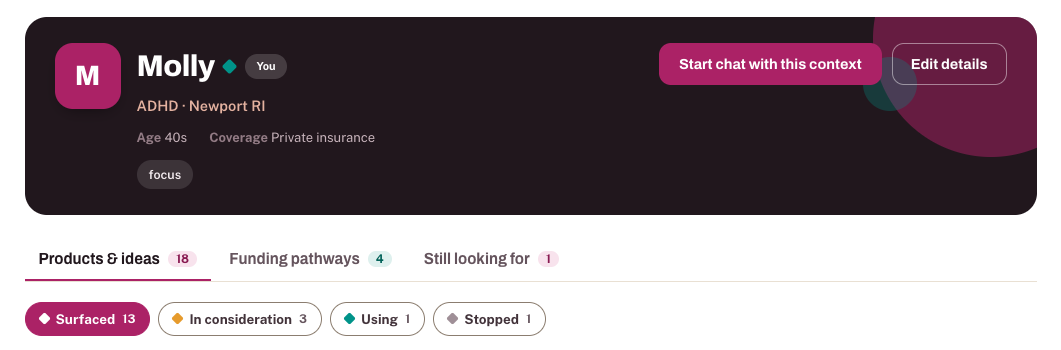
Chat about what’s going on and the assistant surfaces real options — products, services, and funding. Save them to a profile so nothing gets lost between conversations.
Get support using it
Real help with the product you actually have.
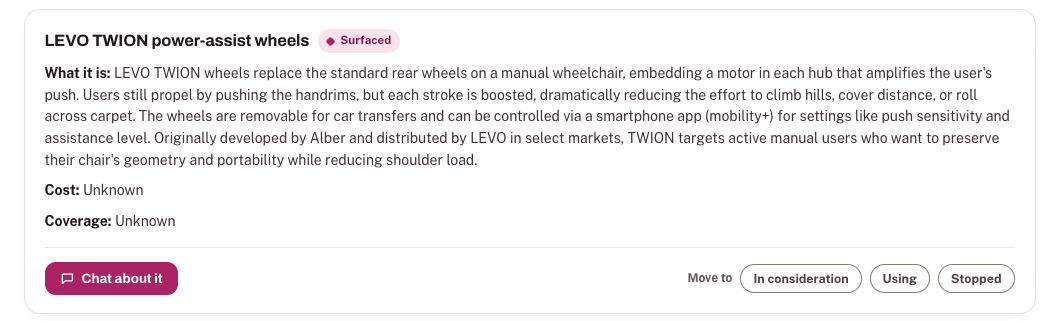
Not sure how to set something up, or whether it’s worth the cost? Tap Chat about it on any saved item to ask questions specific to that product — not a generic manual.
Track it over time
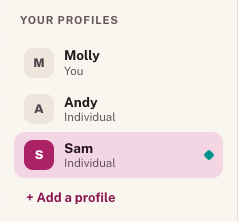
One view for everyone you support.
Keep a profile for yourself, or for each person you support — a parent, a student, a client. Move items from surfaced, to in consideration, to using, as things play out.
What we believe
Recommendations you can trust, because no one paid for them.
Disability is personal. What works for you may not work for someone else — so recommendations are built around your situation, not a generic list.
Never pay-to-play. A marketing budget shouldn't decide what you hear about. No ads, no affiliate links, no paid placement.
Affordability is paramount. We surface low- and no-cost options and the funding paths that help people actually get the tech they need.
Nothing about us without us. We're people with disabilities, working alongside thousands more to keep this honest and current.
About us
Built by the community, for the community.
For a long time the disability community has done the work of figuring out solutions — trading recommendations in group chats, writing the honest reviews, sharing the low-cost hack that beats the "official" product. The Index gathers what we've all been learning into one place, so the next person doesn't have to start from scratch.
It's a nonprofit project from the Cerebral Palsy Alliance Research Foundation, shaped over eight years alongside hundreds of people who told us what living with assistive technology actually looks like.
Try it now — it's free
Make assistive technology?
If you build a product, service, or program for the disability community, add it to the Index or update a listing. It's free — no paid placement, no advertising — and every submission is reviewed by our team before it goes live.